Run hardware controls, pages, and live displays from anywhere on your network.
JIB combines a Windows host, hardware drivers, plugin providers, and a desktop Configurator for StreamDock-compatible boxes and selected Elgato Stream Deck hardware. The host, the Configurator, and the SimHub plugin are independent processes connected over TCP, so they can each run on a different machine.

Distributed by design
Three independent processes talk over TCP. The host owns the USB hardware; the Configurator edits it; the SimHub plugin streams telemetry. Each can live on its own PC.
SimHub plugin
Inside SimHub.exe, on the sim rig PCJIB.Service
Windows host, owns the USB boxesJIB.Configurator
WinUI 3 desktop app, anywhere on the LANKeep the host next to the USB hardware. SimHub can stay on your racing PC, and the Configurator can run on your desk machine — all connected over the LAN.
Built for live controls, not screenshots
JIB treats the physical box as a runtime surface: rendered buttons, held states, pulse actions, page routing, and feedback all flow through the host.
Providers included today
Actions are selected per control. Global plugin settings stay global; per-card behavior belongs on the mapped action.
SimHub profiles defined in JIB
JIB can consume SimHub telemetry, while these games currently have explicit JIB profile overrides for cleaner field mapping and game-specific values.
This list is about JIB's own SimHub profile catalog, not the complete set of games supported by SimHub itself.
Quick start
Get from download to a live box in four steps. The full walkthrough lives in the user guide.
Install prerequisites
Install the Visual C++ Redistributable x64 2015–2022. The vJoy driver is optional, only for virtual joystick support.
Download and start the host
Extract the release package, run Host\JIB.Service.exe, and keep vendor applications closed when they compete for USB HID access.
Open the Configurator
Run Configurator\JIB.Configurator.exe, connect to 127.0.0.1:16550 (or a discovered LAN host), select the hardware, and build pages and mappings.
Add SimHub telemetry (optional)
Copy the contents of Plugins\External\SimHub\ into your SimHub installation and restart SimHub to stream telemetry.
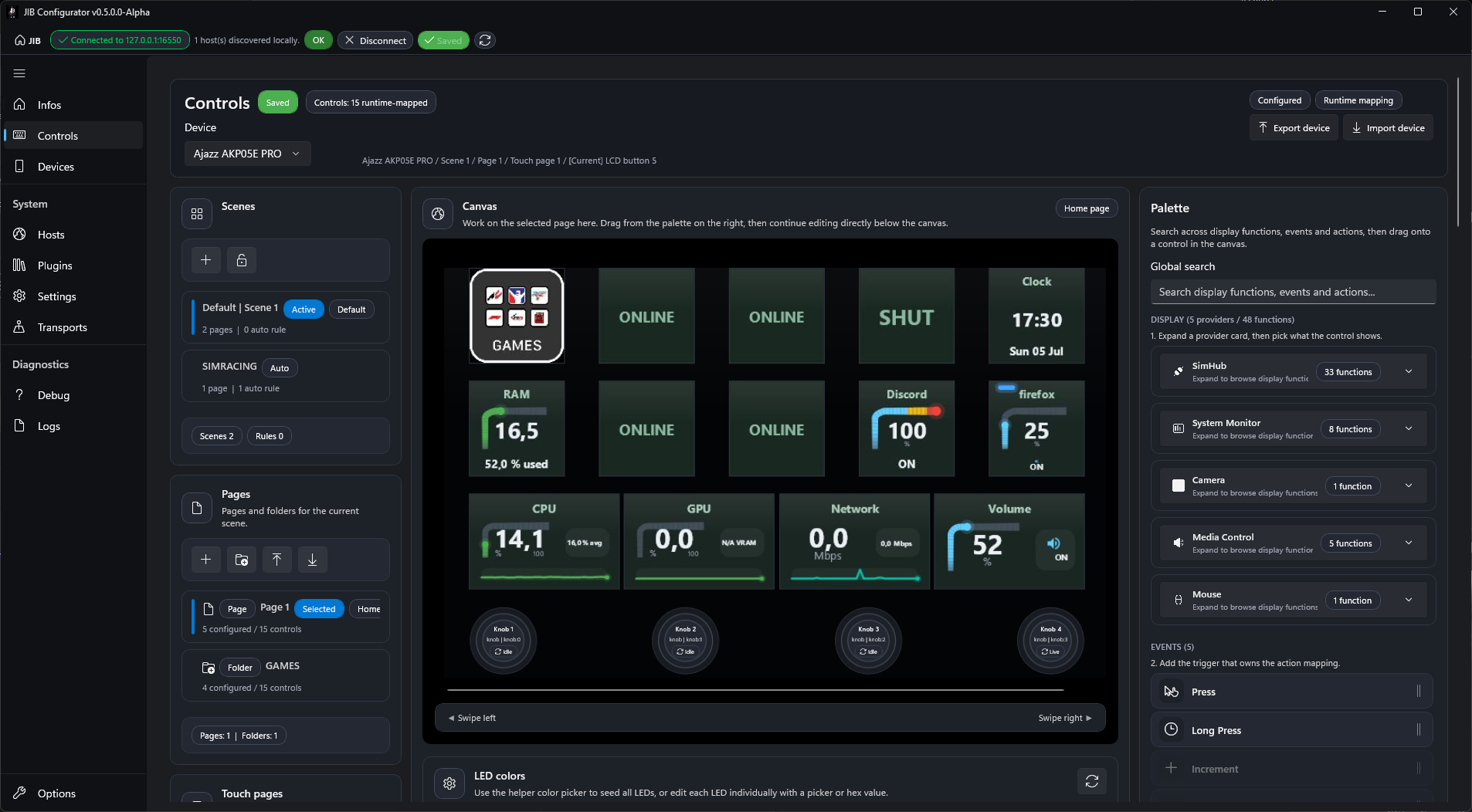
Configurator preview
Real application views are included so users can inspect what they are downloading before installing it.
Scope and expectations
JIB is a host/configurator project. It integrates with providers and hardware catalogs, but it does not replace every vendor or telemetry application.
Not a vendor app clone
JIB drives supported hardware through its own host path. Vendor applications may still be useful for firmware updates or vendor-only features.
Not SimHub itself
JIB consumes SimHub telemetry and adds its own profile overrides. The full SimHub game list remains owned by SimHub.
No shared USB ownership
When another application owns the device, JIB may not be able to control it. Close competing software before testing hardware issues.
Hardware compatibility
Compatibility is tracked from the current JIB hardware catalogs. Firmware, Windows USB behavior, and vendor software ownership can still affect real-world results.
Status meaning
- Catalog matched: the device or model appears in the current runtime hardware catalog.
- Needs device validation: known provider path, but not strong enough to present as catalog-backed.
Operational notes
- Close vendor applications that may own the device.
- For Elgato hardware, close the official Stream Deck app before using JIB.
- If behavior changes after an upgrade, use Debug > Reset all, then retest.
Known exclusions
- First-generation Stream Deck Mini using BMP format is not supported yet.
- 2017 Stream Deck PID 0x0060 is not supported yet.
- Simultaneous vendor-app control is not guaranteed.
| Brand | Model | Status | Family | Coverage notes |
|---|
Hardware rows are generated from the current repository documentation and catalog knowledge, not from a permanent compatibility guarantee.
Troubleshooting first checks
These are the checks users should try before reporting hardware or mapping issues.
After updating JIB
If a previously detected box behaves incorrectly, run Debug > Reset all in the Configurator and retest from a clean device state.
Vendor software conflicts
Close applications that may still own the USB device. This matters especially for Elgato Stream Deck hardware.
Rebrands and firmware
Several boxes share USB identifiers. Manufacturer strings, firmware, and model revisions can affect detection.
Need another game, action, plugin, or device?
Users can request new SimHub game profiles, provider actions, hardware validation, device support, or workflow improvements. Contributors can also open a pull request when they already have a tested profile, catalog entry, or implementation.
Latest packaged release
The page reads public GitHub Releases and shows package assets only: zip, 7z, rar, msi, or exe.
Release history
Older packaged versions remain available here after they are published.